

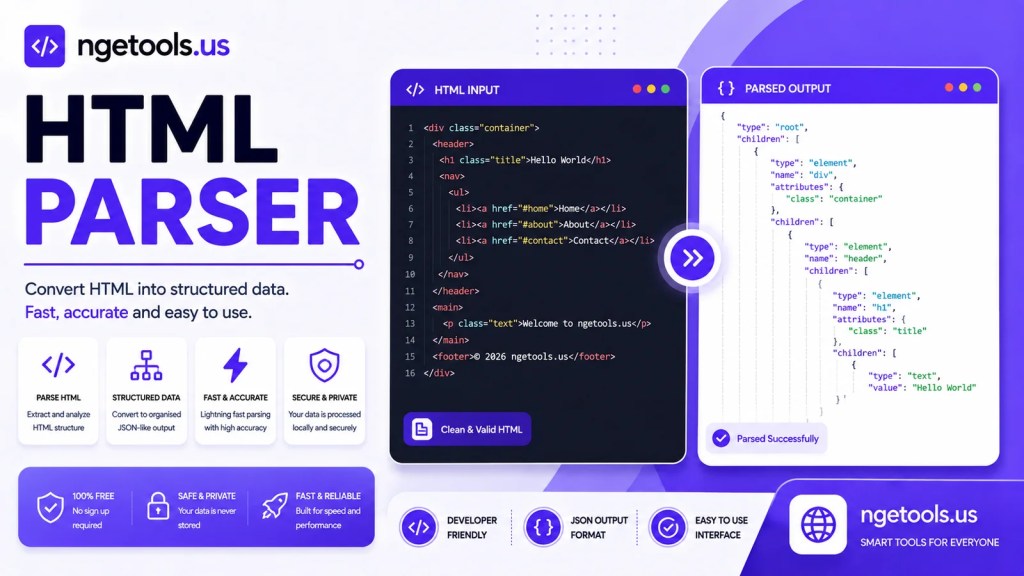
Parse or unparse HTML instantly with this free HTML Parser. Convert HTML entities, decode markup, copy results, and download processed HTML online.
Mode Parsing
Editor
Hasil Parsing
Working with HTML code often requires converting special characters into HTML entities or restoring encoded HTML back into its original format. An HTML Parser simplifies this process by allowing developers, students, bloggers, and web designers to parse or unparse HTML safely and efficiently.
The HTML Parser above is a lightweight browser-based tool that instantly converts HTML code without requiring software installation. Whether you need to escape HTML before displaying it inside tutorials or decode HTML entities back into readable markup, this tool provides an accurate and user-friendly solution.
What Is an HTML Parser?
An HTML Parser is a utility that processes HTML content into a format suitable for display, storage, or further processing. Depending on the selected mode, it can either:
- Parse HTML by converting reserved characters into HTML entities.
- Unparse HTML by decoding HTML entities back into standard HTML markup.
This functionality is especially useful when publishing code examples, creating technical documentation, developing websites, or handling HTML data in web applications.
Unlike traditional desktop applications, this online HTML Parser works directly inside your browser, making it accessible from virtually any device.
Why Use an HTML Parser?
HTML contains special characters such as:
<>&"'
These characters have special meanings within web pages. If they are not properly escaped, browsers may interpret them as actual HTML instead of displaying them as text.
An HTML Parser solves this issue by converting these reserved characters into their corresponding HTML entities.
For example:
<div>Hello World</div>
becomes:
<div>Hello World</div>
When using Unparse mode, the process is reversed, restoring the original HTML markup.
Key Features of This HTML Parser
This tool includes multiple features designed for both beginners and professionals.
1. Parse HTML
The Parse mode converts HTML into escaped entities.
Ideal for:
- Programming tutorials
- Blog posts
- Documentation
- Technical articles
- Code snippets
- Online forums
2. Unparse HTML
The Unparse mode restores encoded HTML into readable source code.
Useful when:
- Editing exported HTML
- Restoring encoded markup
- Debugging HTML entities
- Importing HTML content
3. Real-Time Conversion
The editor automatically updates the output as you type.
Benefits include:
- Instant feedback
- Faster workflow
- Improved productivity
- Reduced manual processing
4. Clean Code Editor
The integrated editor offers a distraction-free workspace for HTML processing.
It supports:
- Typing directly
- Pasting existing code
- Editing large HTML snippets
- Quick modifications
5. Copy Output
After conversion, you can instantly copy the generated HTML with a single click.
This feature is perfect for:
- Developers
- Teachers
- Bloggers
- Students
- Documentation writers
6. Copy Output Back to Editor
Need multiple conversions?
Simply send the output back into the editor and continue working without manually copying and pasting.
7. Download HTML
After parsing or unparsing your content, you can download the result as an HTML file.
This helps users:
- Save processed files
- Archive converted content
- Share HTML documents
- Continue editing later
8. Clipboard Integration
The built-in Paste button allows direct clipboard access for faster editing.
Instead of manually pressing keyboard shortcuts repeatedly, users can quickly import copied HTML.
9. Responsive Interface
The HTML Parser works smoothly across:
- Desktop computers
- Laptops
- Tablets
- Android devices
- iPhones
The responsive design automatically adapts to different screen sizes.
Benefits of Using an Online HTML Parser
Choosing an online HTML Parser provides several advantages over desktop software.
No Installation
Everything runs inside your browser.
Fast Processing
HTML conversion happens almost instantly.
Secure
Your HTML is processed locally in your browser without requiring server-side uploads.
Free to Use
No registration, subscription, or hidden fees.
Beginner Friendly
Even users with little programming experience can use the interface easily.
Common Use Cases
An HTML Parser is valuable in many scenarios.
Web Development
Developers frequently escape HTML before displaying source code on documentation websites.
Technical Blogging
Bloggers often publish HTML examples that need to display correctly without breaking the page layout.
Programming Education
Teachers and instructors use parsed HTML to create coding lessons.
Documentation
Software documentation commonly includes HTML snippets that must be escaped before publication.
CMS Platforms
Content creators using WordPress, Joomla, Drupal, or custom CMS platforms often need HTML parsing before publishing tutorials.
Email Templates
Developers working with HTML email templates can safely manipulate encoded HTML.
How to Use This HTML Parser
Using the tool is straightforward.
Step 1
Select the desired mode:
- Parse HTML
- Unparse HTML
Step 2
Paste or type your HTML code into the editor.
Step 3
The tool automatically converts the content.
No manual processing is required.
Step 4
Review the generated output.
Step 5
Choose one of the available actions:
- Copy Result
- Copy to Editor
- Download HTML
Why HTML Parsing Matters
Proper HTML parsing prevents numerous problems.
Without escaping HTML:
- Browsers may execute unintended markup.
- Tutorials may display incorrectly.
- Code examples become unreadable.
- Documentation may break page layouts.
- Special characters can cause formatting errors.
An HTML Parser ensures your content remains readable while preserving its original structure.
Browser Compatibility
This HTML Parser works in all modern browsers, including:
- Google Chrome
- Microsoft Edge
- Mozilla Firefox
- Safari
- Opera
- Brave
Clipboard functionality depends on browser permissions, but the core parsing and unparsing features work reliably across current browsers.
Frequently Asked Questions
Is this HTML Parser free?
Yes. You can use all features without creating an account or paying any fees.
Does the tool upload my HTML?
No.
Your HTML is processed locally within your browser, helping keep your code private.
Can I parse large HTML files?
Yes.
The editor supports both small snippets and larger HTML documents, although extremely large files may be limited by your browser’s available memory.
What is the difference between Parse and Unparse?
Parse converts reserved HTML characters into HTML entities.
Unparse converts HTML entities back into standard HTML code.
Can beginners use this tool?
Absolutely.
The interface is simple, intuitive, and suitable for users of all experience levels.
Best Practices for Working with HTML
To maintain clean and secure HTML:
- Validate your HTML before publishing.
- Escape HTML when displaying code examples.
- Keep your markup properly indented.
- Avoid unnecessary inline styles.
- Test HTML across multiple browsers.
- Use semantic HTML whenever possible.
- Keep backups before making major code changes.
Following these practices results in cleaner, more maintainable web projects.
Conclusion
The HTML Parser is a fast, reliable, and easy-to-use online utility for parsing and unparsing HTML code. Whether you’re a web developer, technical writer, educator, student, or blogger, this tool streamlines HTML conversion with real-time processing, clipboard support, downloadable output, and a responsive interface.
Instead of relying on manual conversions or complex software, you can safely encode and decode HTML directly from your browser in seconds. By improving productivity, preserving code accuracy, and simplifying everyday workflows, this HTML Parser becomes an essential companion for anyone working with HTML.