

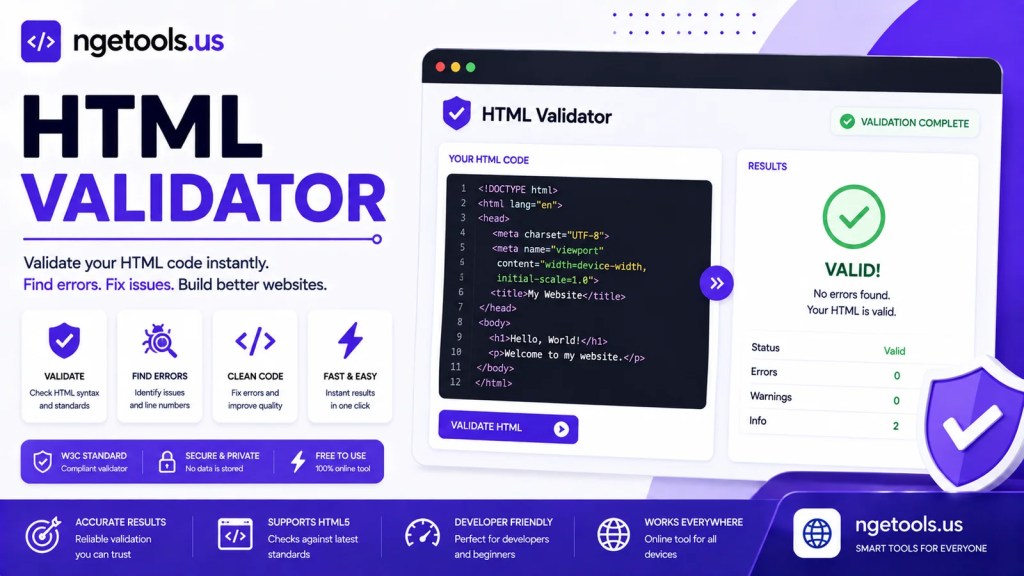
Use our free HTML Validator to validate HTML code, detect syntax errors, auto-fix common issues, preview your markup live, and export validation reports to PDF.
Preview:
Creating clean and standards-compliant HTML is essential for building reliable, fast, and search engine-friendly websites. Whether you are a beginner learning web development or an experienced developer maintaining complex projects, an HTML Validator helps ensure your markup is free from common syntax errors, invalid elements, and structural issues.
The HTML Validator tool above allows you to validate HTML code instantly, preview the rendered output, automatically fix simple mistakes, and even export validation results to PDF. Everything runs directly in your browser, making it a fast and convenient solution without installing additional software.
What Is an HTML Validator?
An HTML Validator is a tool that analyzes HTML markup to detect errors, warnings, and formatting problems. It checks whether your HTML follows proper syntax rules and helps identify issues that could affect browser rendering, accessibility, search engine optimization (SEO), or website performance.
Instead of manually searching through hundreds of lines of code, developers can quickly locate mistakes and correct them before publishing a website.
Using an HTML Validator regularly improves code quality, enhances compatibility across browsers, and reduces debugging time.
Why HTML Validation Matters
HTML serves as the foundation of every website. Even small markup mistakes can cause layout issues, broken functionality, or inconsistent rendering on different devices.
Validating your HTML offers several important benefits:
- Detects missing or improperly nested tags
- Identifies invalid HTML syntax
- Improves website stability
- Enhances browser compatibility
- Supports accessibility best practices
- Helps search engines understand page structure
- Reduces development time
- Prevents unexpected rendering errors
Well-structured HTML also makes websites easier to maintain as projects grow.
Key Features of This HTML Validator
The HTML Validator tool includes several powerful features designed for developers, students, and web designers.
1. Instant HTML Validation
Paste or write HTML code inside the editor and validate it with a single click.
The validator quickly analyzes your markup and reports whether the code is valid or contains errors.
This instant feedback allows developers to fix problems before deployment.
2. Interactive Code Editor
The built-in editor is powered by CodeMirror, providing a comfortable coding experience with useful features such as:
- Syntax highlighting
- Automatic line numbering
- Word wrapping
- Automatic tag closing
- Clean editing interface
These features improve readability and help reduce typing mistakes.
3. Automatic HTML Fix
One of the most useful features is the Auto Fix function.
It automatically attempts to repair simple HTML mistakes such as:
- Unclosed tags
- Missing closing elements
- Incorrect self-closing void elements
- Basic structural issues
Although it cannot repair every coding error, it significantly speeds up the editing process for common mistakes.
4. Live HTML Preview
After validation, the tool displays a live preview of the HTML output.
This allows developers to compare:
- Source code
- Visual rendering
- Layout behavior
- Content appearance
Real-time previews help identify visual problems much faster than reviewing code alone.
5. Export Validation Report to PDF
Developers, educators, and students often need documentation.
The integrated PDF export feature makes it easy to save validation results for:
- Assignments
- Code reviews
- Project documentation
- Client reports
- Development records
Everything can be downloaded in a portable PDF format.
Benefits of Using an Online HTML Validator
Unlike desktop software that requires installation, this browser-based HTML Validator offers several advantages.
No Installation Required
Everything works directly inside your web browser.
Simply open the page and begin validating HTML immediately.
Fast Performance
Validation happens almost instantly, allowing developers to test multiple code revisions quickly.
Beginner Friendly
The simple interface makes it suitable for:
- Students
- Coding beginners
- Teachers
- Front-end developers
- Website owners
No advanced technical knowledge is required.
Cross-Platform Support
The tool works on nearly every modern device, including:
- Desktop computers
- Laptops
- Tablets
- Smartphones
You can validate HTML wherever you work.
Free to Use
There are no subscriptions, registrations, or software downloads required.
How to Use the HTML Validator
Using the HTML Validator is straightforward.
Step 1
Paste your HTML code into the editor or write new markup from scratch.
Step 2
Click the Validate button.
The tool analyzes your HTML and displays whether the markup is valid.
Step 3
Review any reported errors or warnings.
Correct invalid syntax, missing tags, or structural issues.
Step 4
If needed, click Auto Fix to automatically repair common HTML mistakes.
Step 5
Check the live preview to ensure your page renders correctly.
Step 6
Export the validation report to PDF if you need documentation or want to share the results.
Common HTML Errors Detected
Many developers accidentally introduce simple HTML mistakes during coding.
Common issues include:
- Missing closing tags
- Incorrect tag nesting
- Invalid attributes
- Duplicate IDs
- Unescaped special characters
- Broken HTML structure
- Improper self-closing elements
- Unsupported HTML elements
- Missing quotation marks
- Empty container elements
Regular validation helps catch these issues early.
Best Practices for Writing Clean HTML
To produce high-quality markup, follow these recommendations:
- Use semantic HTML elements whenever possible.
- Keep indentation consistent.
- Always close required tags.
- Use descriptive element names.
- Avoid unnecessary nested containers.
- Validate code before publishing.
- Keep HTML readable and organized.
- Separate HTML, CSS, and JavaScript into appropriate files.
- Include proper document structure using
<!DOCTYPE html>. - Test your pages across multiple browsers.
These habits improve maintainability and long-term project quality.
Who Can Benefit from This Tool?
The HTML Validator is useful for a wide variety of users.
Front-End Developers
Quickly verify code before deployment.
Students
Learn proper HTML syntax while practicing web development.
Teachers
Review student assignments efficiently.
Freelancers
Deliver cleaner websites to clients.
Website Owners
Check page markup without needing advanced programming knowledge.
SEO Specialists
Ensure pages use proper HTML structure that search engines can interpret effectively.
Frequently Asked Questions
Is this HTML Validator free?
Yes.
The tool is completely free to use and works directly in your browser.
Does it upload my code?
No.
Your HTML is processed locally in your browser, helping keep your code private.
Can it fix every HTML error?
No.
The Auto Fix feature repairs many common syntax issues, but complex logical or structural problems may still require manual editing.
Does it support HTML5?
Yes.
The editor and validation process are designed for modern HTML5 development.
Can beginners use it?
Absolutely.
The interface is simple enough for new developers while still offering features that experienced programmers appreciate.
Why HTML Validation Helps SEO
Search engines rely on well-structured HTML to understand web pages more effectively. While a few validation errors may not directly affect rankings, clean markup improves crawlability, accessibility, and user experience—factors that contribute to better SEO performance.
Using an HTML Validator can help ensure that important elements such as headings, images, links, and metadata are implemented correctly. Clean code also reduces the likelihood of rendering issues that could negatively impact Core Web Vitals and visitor engagement.
Conclusion
The HTML Validator is an essential tool for anyone working with web technologies. By validating HTML, automatically fixing common syntax issues, previewing rendered pages, and exporting reports, this tool streamlines the development workflow while improving code quality.
Whether you are building a personal blog, business website, landing page, or enterprise application, validating your HTML before publishing is a simple yet effective step toward creating faster, cleaner, and more reliable web experiences.